Desynchronize a replicated attribute
If you create a helper entity, columns and mappings of and to the original entity are automatically generated.
The generated columns are replicas of their original attributes. All properties of the columns are kept automatically in synchronization with the original source and are uneditable in the replica property sheet. Synchronization means that if you change the properties of the original attribute, the properties of the replica will also change.
The replicas are represented as light-grey attributes in the column tab.
Warning
If you delete an original object, any replicas linked to it will be deleted too, unless they have one or more property desynchronized, in which case they will be retained and become normal objects.
In some (rare) cases you want to disable the synchronization between the replica and original attribute. For example, if you want to change the data type of an attribute in the helper entity.
There are two ways to desynchronize:
A. Desynchronize partially: by desynchronizing one or more of the attribute properties
B. Desynchronize completely: by deleting the entire connection
A. Desynchronize partially
Partially disconnect a link if you want to change a property of an attribute in the helper entity. For example, by using a different data type in the helper than in the original.
- Double click on the Helper. The window ‘Helper Properties’ appears.
- Click on the tab ‘Columns’.
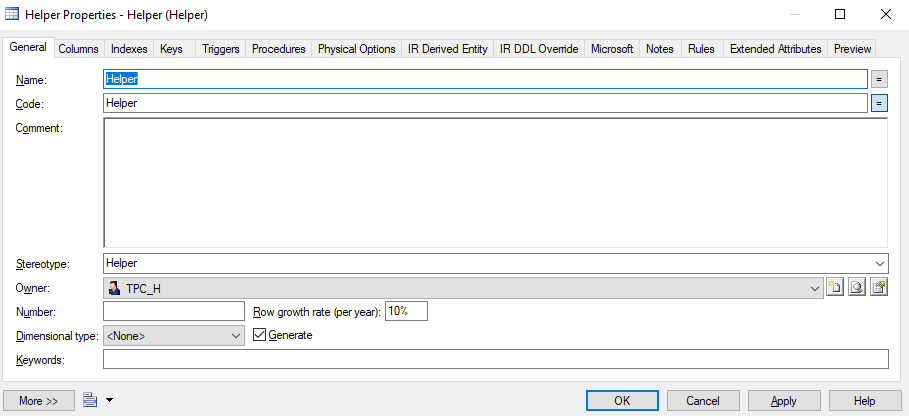
- Double click on the attribute you want to disconnect. The window ‘Column Properties’ appears.
- On the bottom left, click on the button ‘More’.
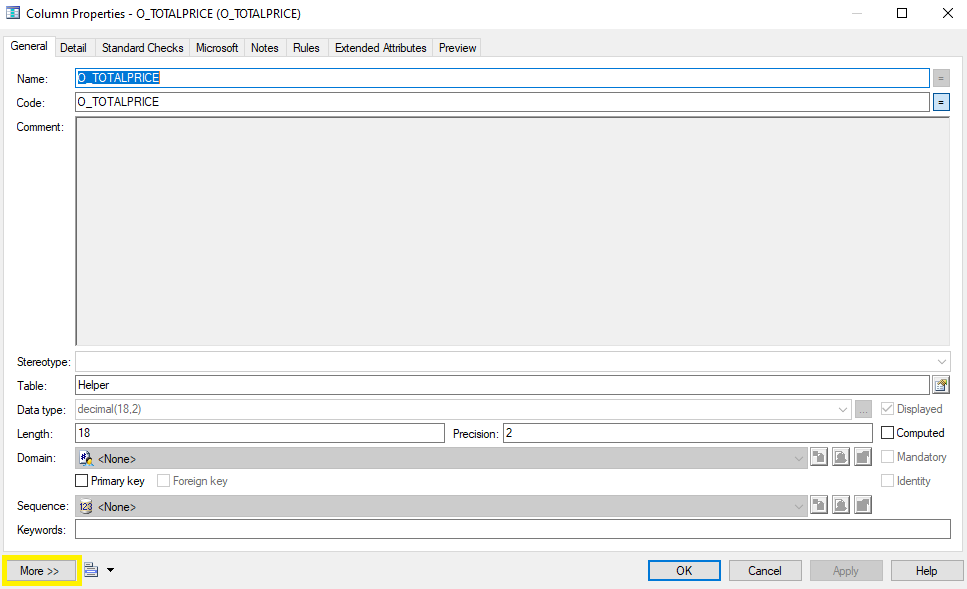
- Click on the tab ‘Version info’.
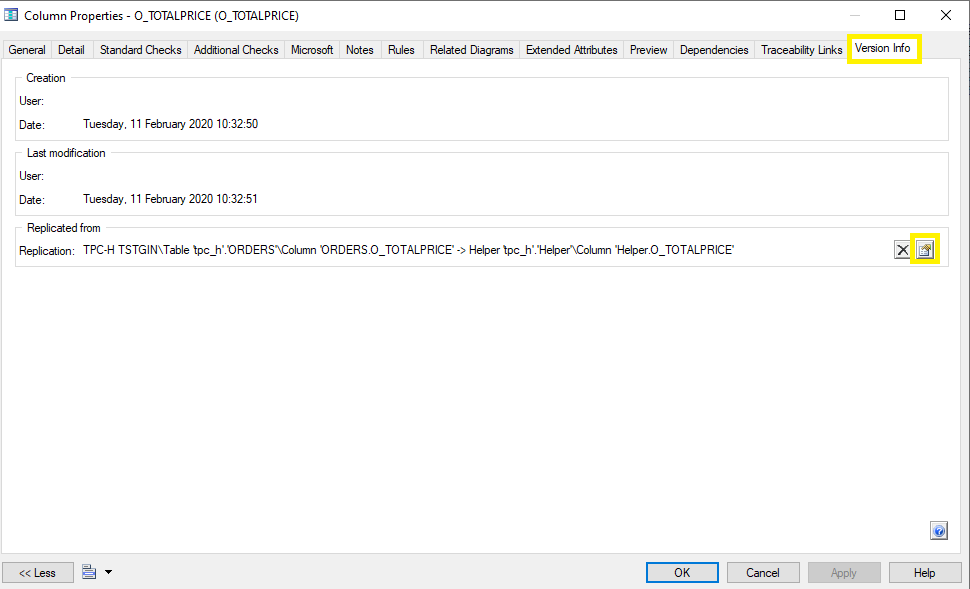
- Click on the button ‘Properties’. The window ‘Replication Properties’ appears.
- Click on the tab ‘Attributes’.
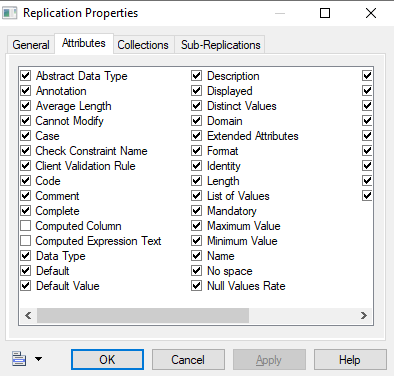
- Uncheck the boxes next to the attributes you want to disconnect.
-
Click on ‘OK’.
-
The desynchronized properties are now editable in the properties sheet. They are displayed in black.
Restore synchronization
If you want to restore the synchronization of a property, you can do the following:
- Open the
Replication Propertieswindow. See step 6 from above. - On the
Attributetab, put a check in the box next to the property you want to synchronize.
The property value of the original attribute will be adopted by the replicated attribute.
B. Desynchronize completely
Use a complete desynchronization if you want to disable the synchronization between the replica and the original attribute.
- Follow steps 1 to 5 from the paragraph ‘Partial disconnection’
- Click on the button ‘Delete’
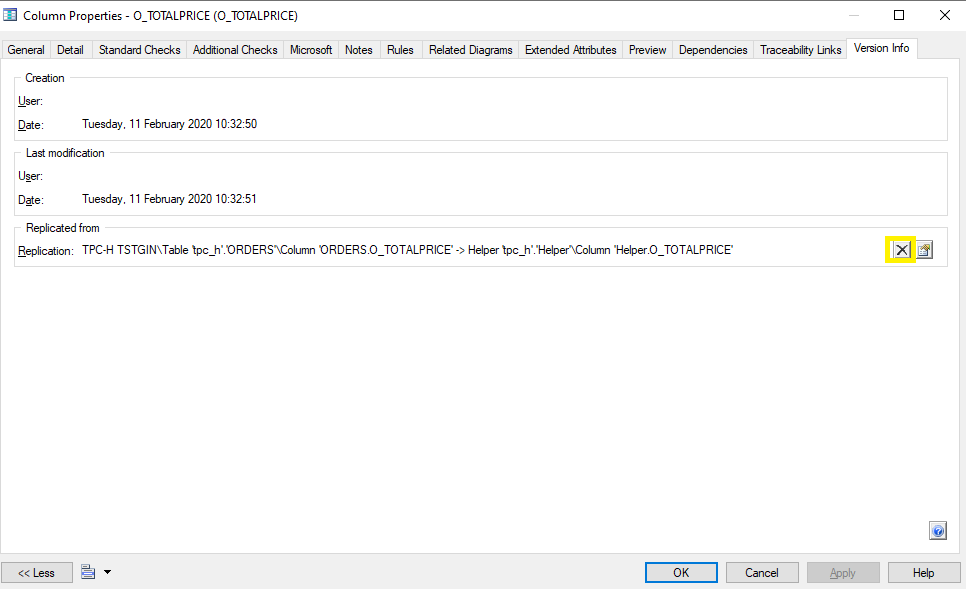
- Click on ‘OK’
- The desynchronized properties are now editable in the properties sheet. They are displayed in black.
Warning
If you delete the connection, the link between the replica and its original will break and the replica becomes a normal, object. It is not possible to restore the connection in this helper. The metadata will be lost.