Overview i-refactory modeller
In this section we introduce the i-refactory modeller and what you can do with it.
i-refactory modeller
You will use the i-refactory modeller to create data models (logical or physical data models) and to generate the DDL and the metadata, which are necessary for the creation of the databases in SQL Server and the data models configuration in the i-refactory Web App, respectively.
According to the four levels of the i-refactory layer architecture, you will create four different types of physical data models:
You can also create a Concept Integration Model when you work with several data sources or when the models become more complex. It is also easier to share the integration patterns when they are placed in a separate model instead in one of the available central facts models.
When to use an integration pattern ?
Consider that a source system A provides facts about customers who place orders and a source system B provides facts about customers who have complaints, and in both data sources customers share the same identifier (for example, Customer Nbr). If there is an overlapping between customers from source A and customers from source B, you can use an integration pattern (key root) to make sure, for example, that customer 001 in source system A is the same as customer 001 in source system B.
The typical output of the i-refactory modeller consists of 3 major output formats, which are all stored on your local or shared filesystem:
Powerdesigner PDM files
Datamodel is stored in the Powerdesigner proprietary format. These files contain the metadata in Powerdesigner specific format (XML). Each time you want to change a datamodel this file is read and should be saved to apply your changes.
DDL installer and DDL code
Because we need to implement the created data models in a SQL Server database (as tables, foreign keys, columns, indexes, ...) the datamodel metadata is transpiled into the appropriate DDL code and scripts to install/run the generated DDL in the SQL Server database.
Data definition metadata
Since Powerdesigner does not have the ability to access the metadata in a runtime process, the metadata is exported in JSON format. This JSON metadata file will be imported with our i-refactory server application and stored as fully versioned runtime metadata.
The runtime metadata will be used in our i-refactory server to:
- Orchestrate the data flow (data logistics).
- Generate code.
- Take care of auditability.
The i-refactory modeller is a client tool that you can use to create all your data specifications. We call these specifications data definition metadata. For an in depth explanation of these specifications see our Data Definition Metadata Guide.
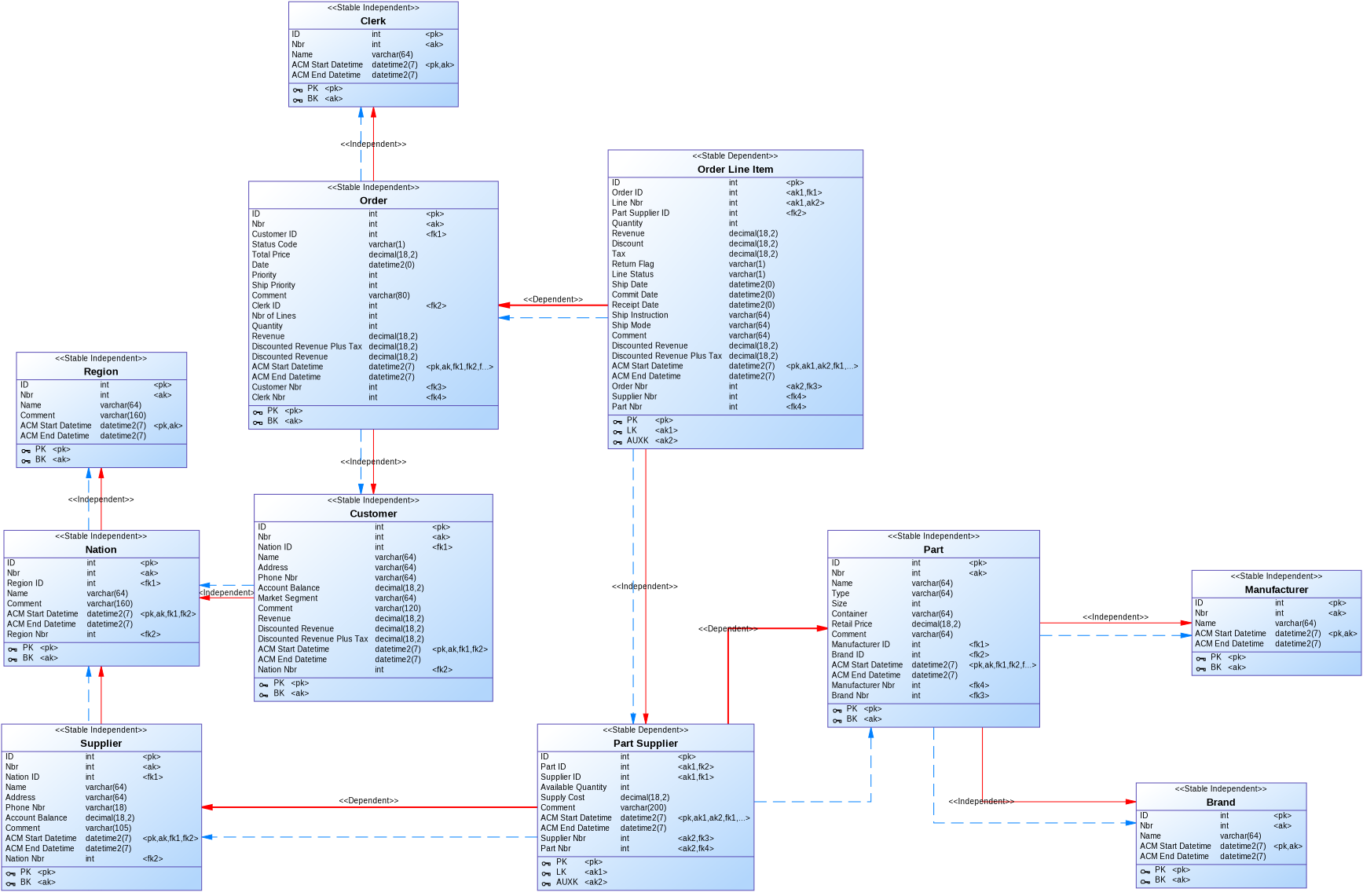
The figure below is an example of a data specification in the form a diagram.