Create index
To create an index:
- Double-click on an entity. A property windows appears.
- Click on the
Indexestab. - Click on the
Add a Rowtool. Enter an index name and an index code.
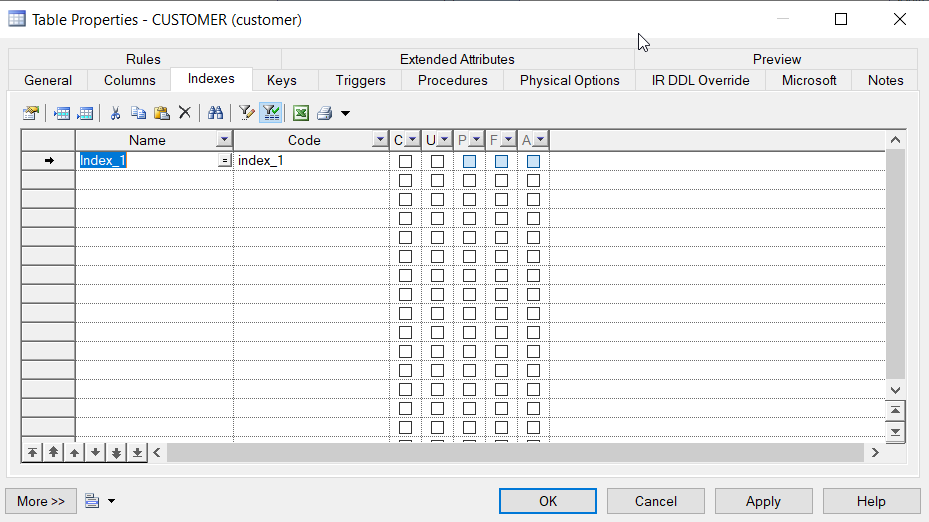
- Click the
Propertiestool to open the property sheet of the new index. - Type or select any appropriate index properties, and then click the
Columnstab. - To create a user defined index: click the
Add Columnstool, select one or more columns from the list, and then click OK - To create an index linked to a key: select a primary key, an alternate key, or a foreign key from the
Columns definitionlist
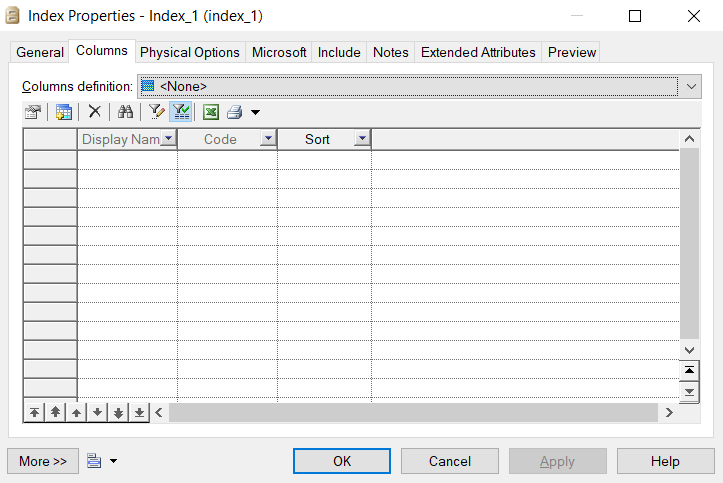
- Select
AscendingorDescendingin the Sort column. - Click OK.