Add alternate key satellite
To add an alternate key satellite:
- Right click on the anchor (independent entity or dependent entity) in the central facts model area.
- In the context menu, click on
i-refactory > Add Alternate Key Satellite.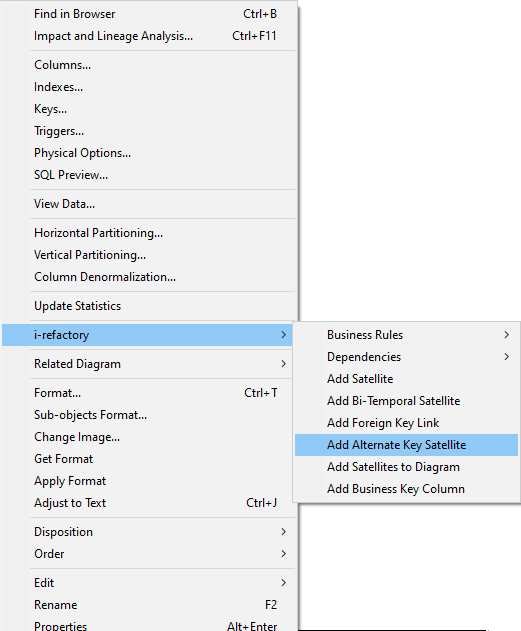
- Right click on the alternate key context in the central facts model area.
- In the context menu, click on
i-refactory > Add Alternate Key Column.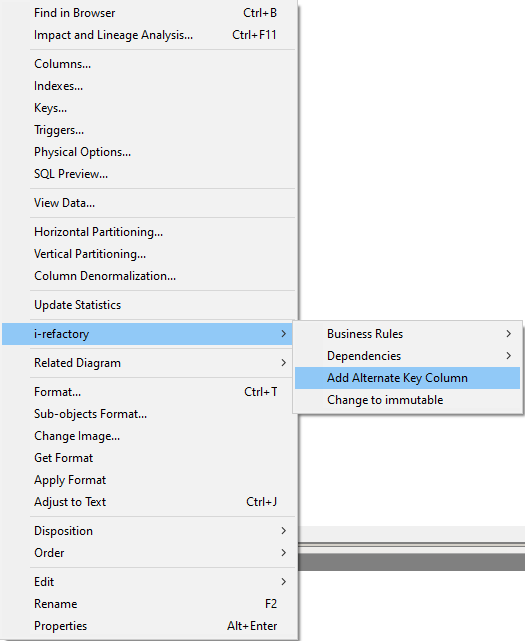
- Double click on the
Alternate Key Satellite.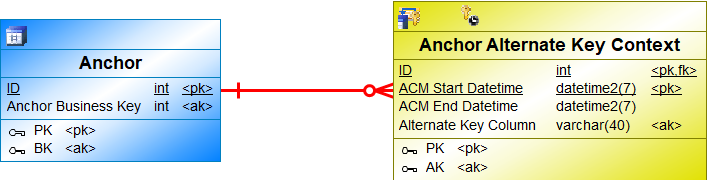
- Go to the tab named
Columns. - You see the Alternate Key Column named
Alternate Key Column. - Double click on the row that includes the
Alternate Key Column.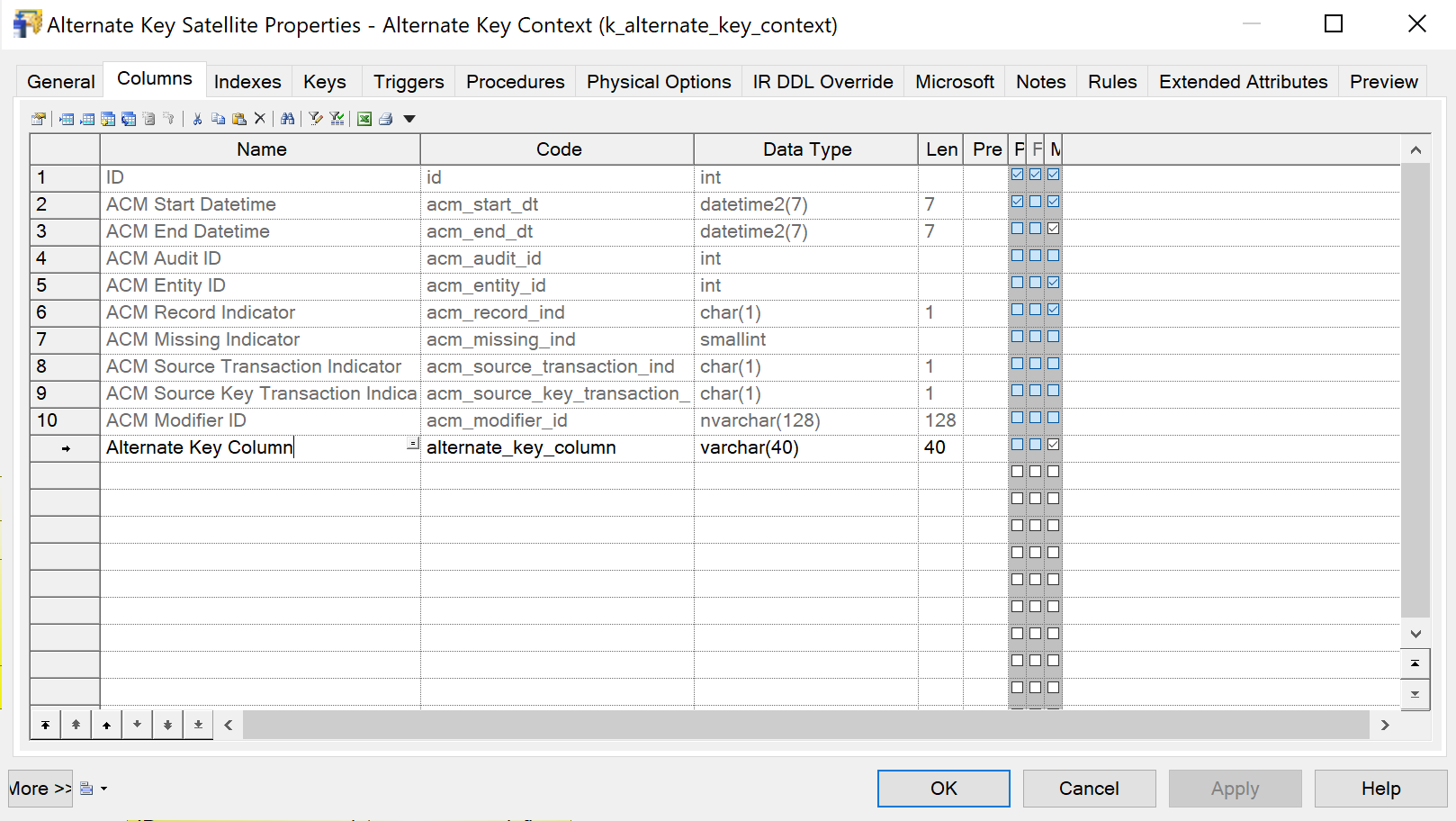
- Use the Logical Data Model as your reference and define:
- Name
- Code
- Comment
- Datatype
- Repeat steps 3 through 9 for each additional Alternate Key Column.