Select source and target models
-
Click on:
Tools>Mapping editor.
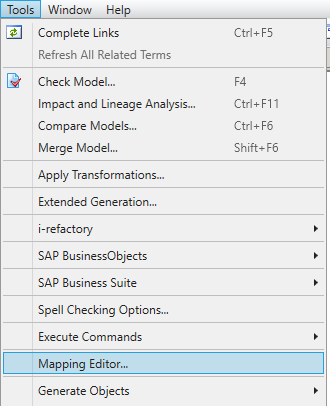 .
-
The window
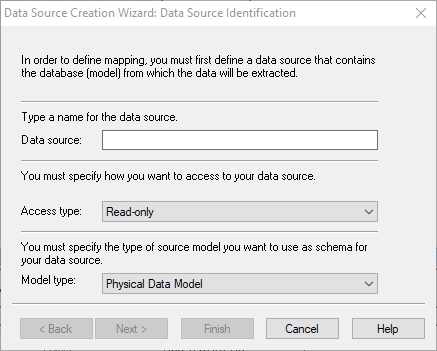
Data Source Creation Wizardopens. Provide a name for theData source. In most cases you use the name of the model type, i.e.HSTGN.
-
In
Access type, selectRead Onlymapping. This means that the dataflow is treated as a one-way-direction from source to target. -
Select as
Modeltype:Physical Data Model. -
Press
Next. -
Select the source model you want to use.
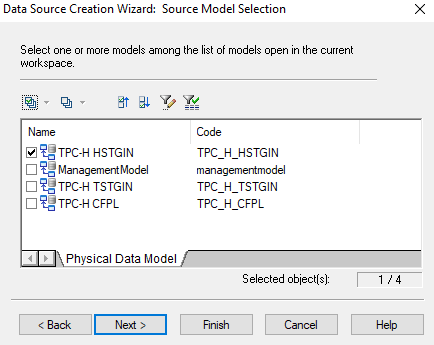
-
Press
Next. -
You get the option to use
Default Mappings. Choose to not create default mappings.
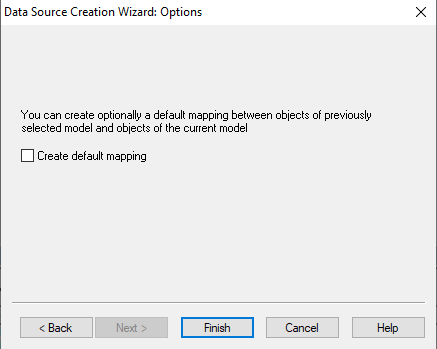
-
Press
Finish.
Warning
Make sure the properties of your mappings are read only. The default status is read/write, which will result in an error when importing the model into i-refactory.