Assign attribute value constraint to attribute
After the new attribute value constraint is added to your Object Browser, you can assign this constraint to one or more attributes.
- In the
Diagram, select the relevant attribute: those that need validation. - Right Mouse click:
Properties. TheColumn Propertieswindow appears. - Go to the tab
Rules. - Click on
Add Objects.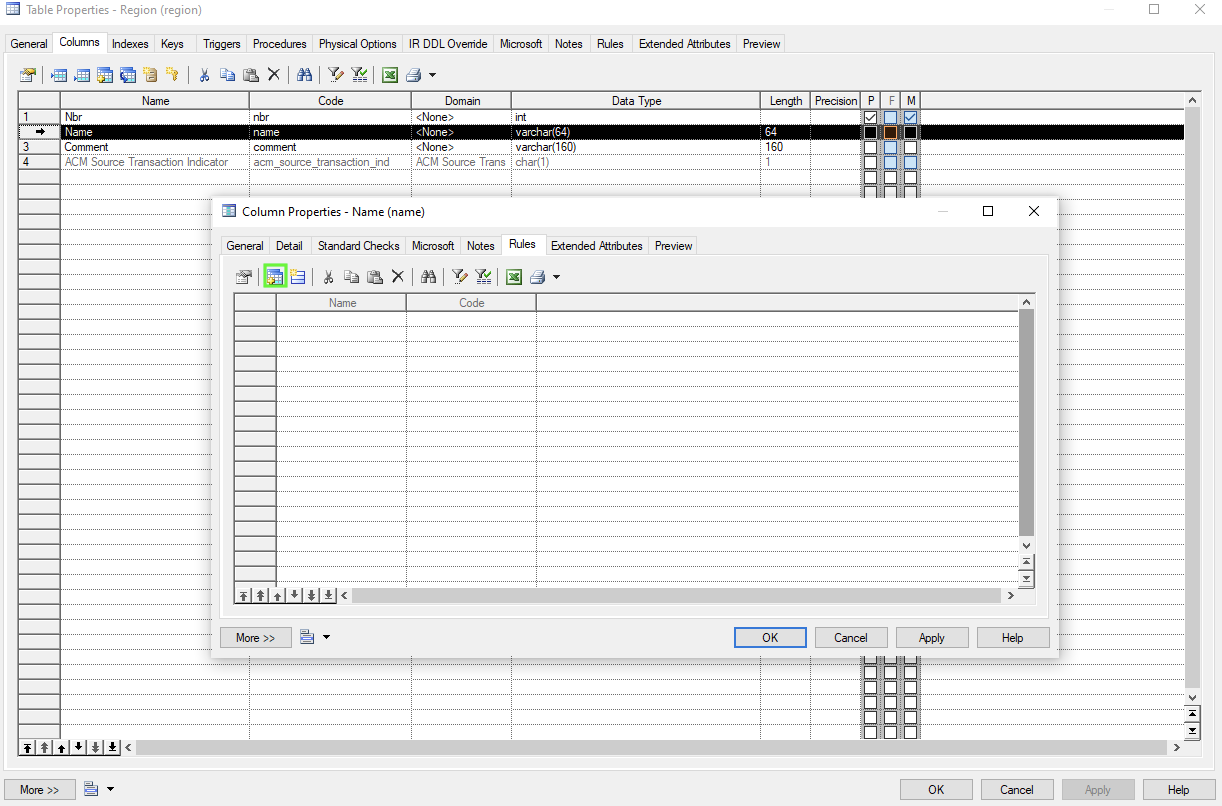
- From the tab
Attribute Value Constraintsselect the Rule you want to assign.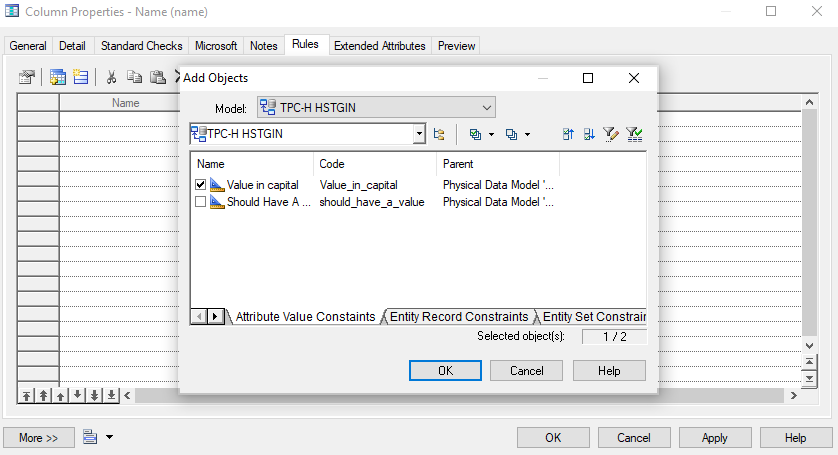
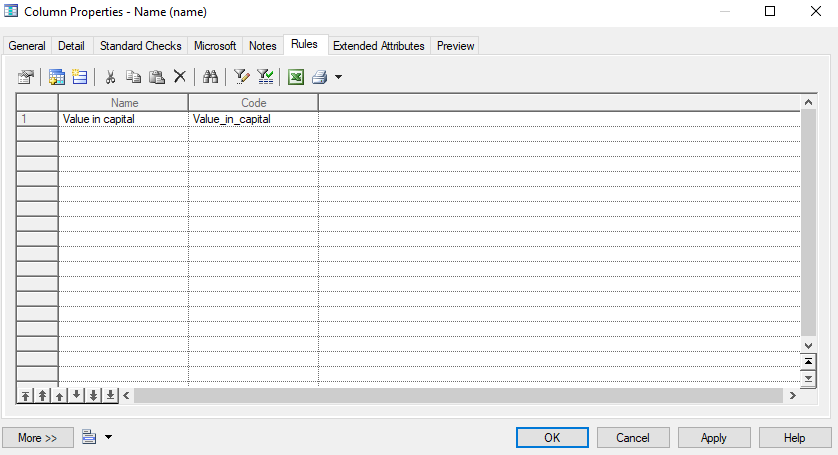
- You see the rule is added. Press OK when finished.
Tip
If you want to use regular expressions to validate values, you need to add a .NET function to provide access to regular expressions (regex). For using regular expressions, first validate the query through regex101.