Create attribute value constraint
To create an attribute value constraint:
- Go to the Object Browser
- Right Mouse click on the name of the logical validation model:
New > Attribute Value Constraint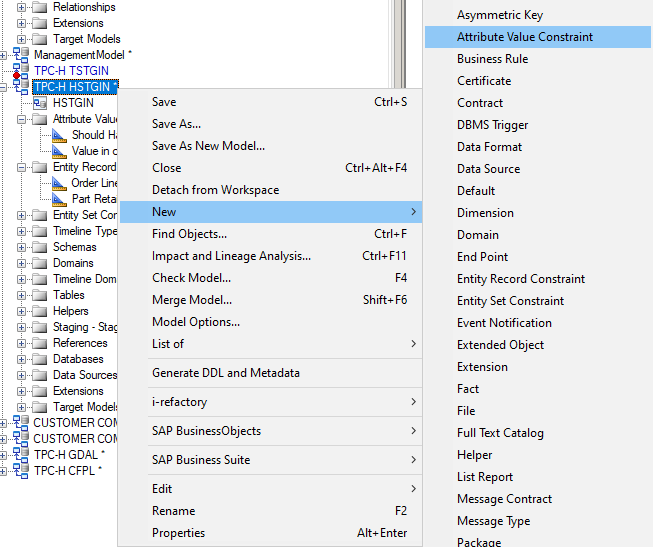
- Assign a meaningful and consistent name
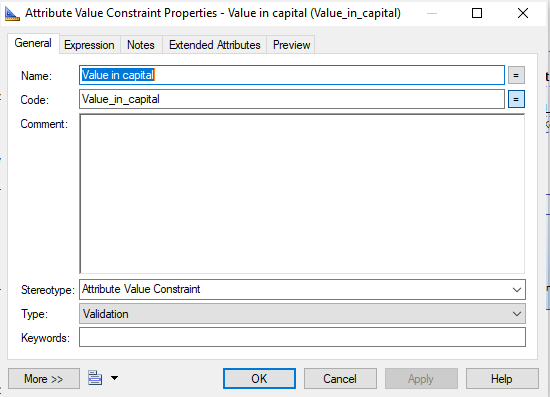
- Enter the functional definition as comment: what does the constraint check and return?
- Define your expression
- In this
expressionfield you can use SQL-like language to check the data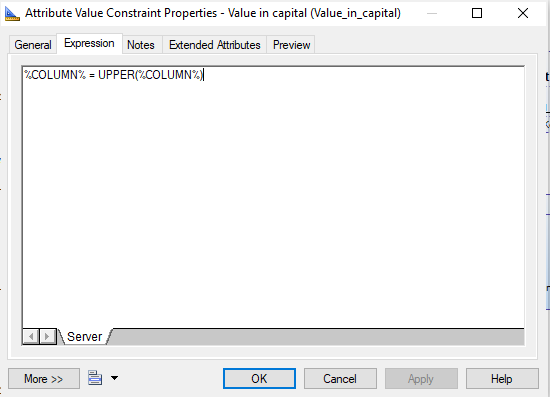
- For example, if you want to return records that only consists of capitals, you can write:
- Press OK when finished