Create domain
A domain can be very usefull to further unify the structure of your data.
Within SAP Sybase Powerdesigner, there are two options to create a domain:
Method 1
- Click on
Model > Domains.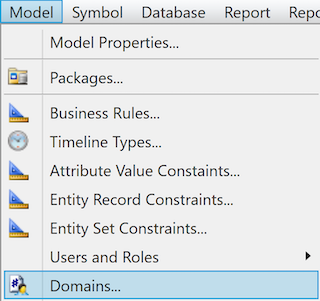
- The window
List of Domainsappears. Click theAdd rowtool.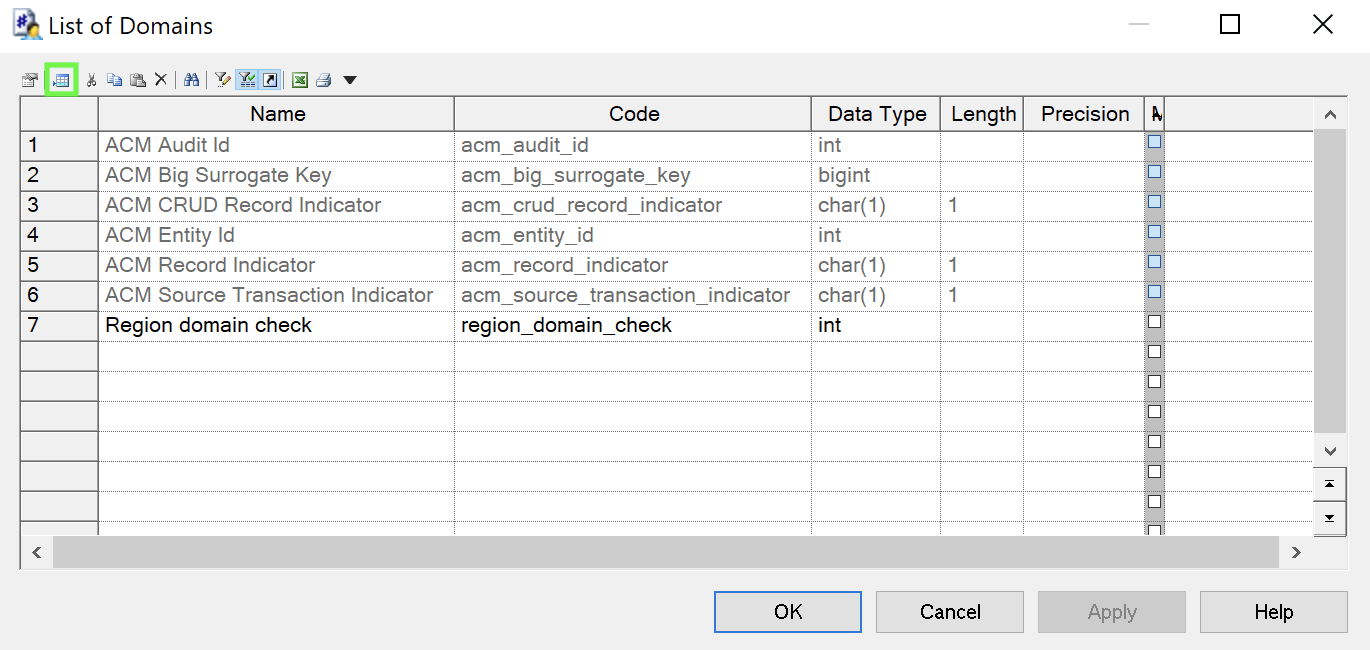
- Adjust the domain properties.
- Click on
OK.
Method 2
- In the object browser, click on
Domain. - Select
New.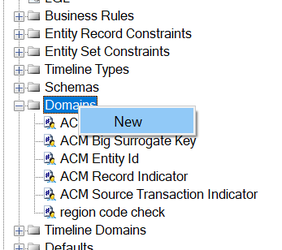
- Give the new domain a name.
If necessary, adjust the properties of the domain.