Create entity record constraint
Since Entity record constraints concern more than one attribute, they are assigned to an entity instead of an attribute. The regular expression is formulated as Should Comply To boolean expression.
In the example below, this means that all records for which the value of Valid From is smaller than the value of Valid To are returned.
Entity Record Constraints explicitly define the columns used - case sensitive. Columns are identified by their code.
To create an entity record constraint:
- Go to the Object Browser
- Right mouse click on the name of the logical validation model:
New > Entity Record Constraint - The window
Entity Record Constraint Propertiesappears. Assign a meaningful and consistent name.
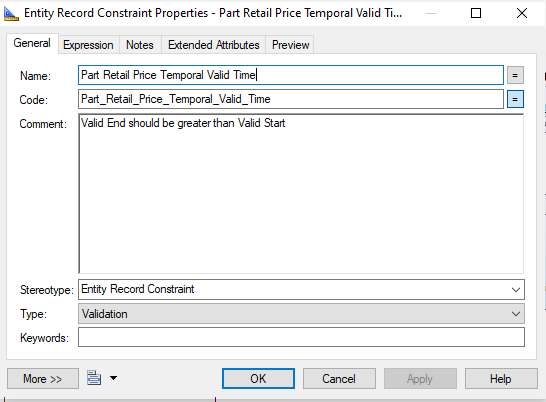
- Enter the functional definition as comment
- Click on the tab
Expression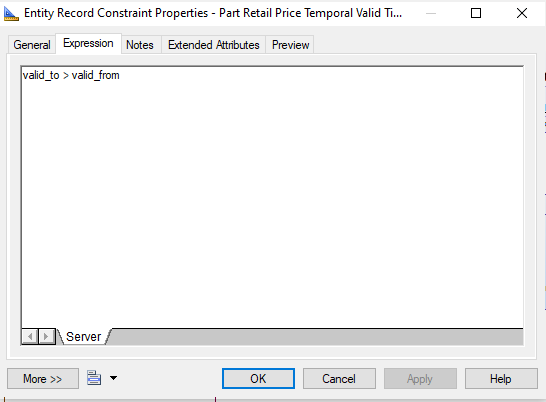
- Define your expression
- For example, if you want to check if the Valid End date is later than the Valid Start date.
- Press OK when finished