Add attributes to satellite
To add attributes to a satellite:
- Method 1
The easiest method to add attributes to a satellite in the central facts model is via de mapping editor. You can map the attributes from the logical validation model to the central facts model.
This a best practice because it ensures that the name, code, and datatype information is copied from the logical validation model to the central facts model.
- Method 2
For each attribute that you want to add to the satellite:
- Right click on the satellite.
- In the satellite menu, click on
i-refactory > Add Column.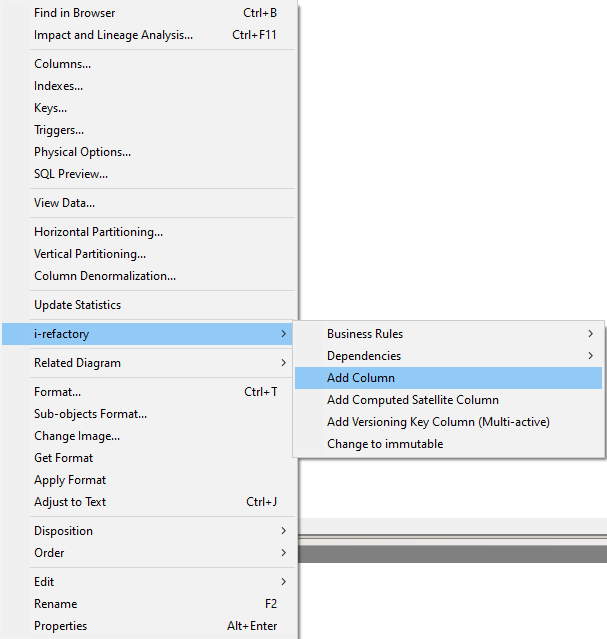
- A generic attribute is added to the satellite.
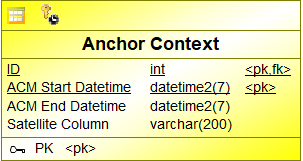
Next, you need to ensure that the attribute is completely configured.
- Double click on the recently created satellite.
- Go to the tab named
Columns. - You see the attribute named
satellite column.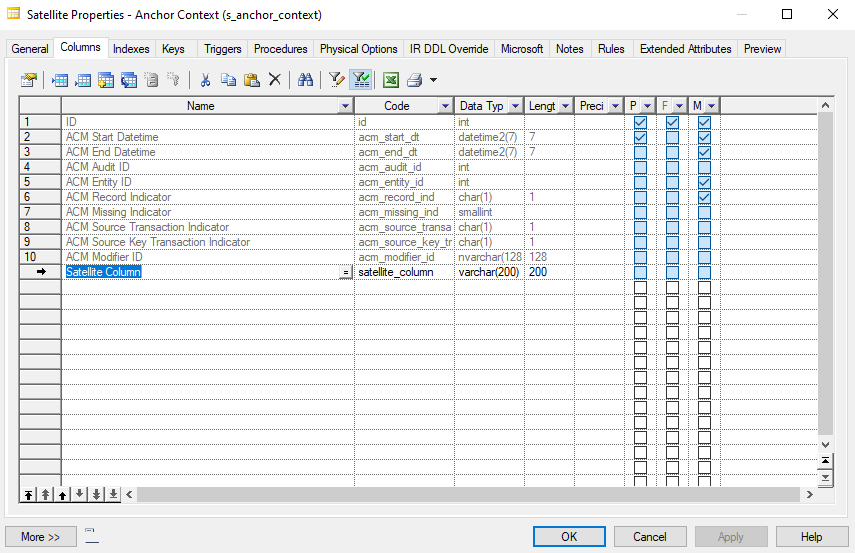
- Double click on the row that includes the
satellite column.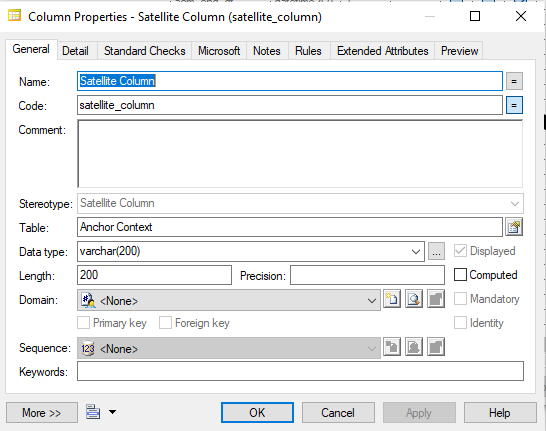
- With the Logical Data Model as your reference, you define:
- Name
- Code
- Datatype
-
Repeat the steps above for all attributes.
-
Method 3
-
Double click on the satellite.
- Go to the tab named
Columns. - Right click on a non-empty row. In the satellite menu, click on
i-refactory > Add Column. You see the attribute namedsatellite column.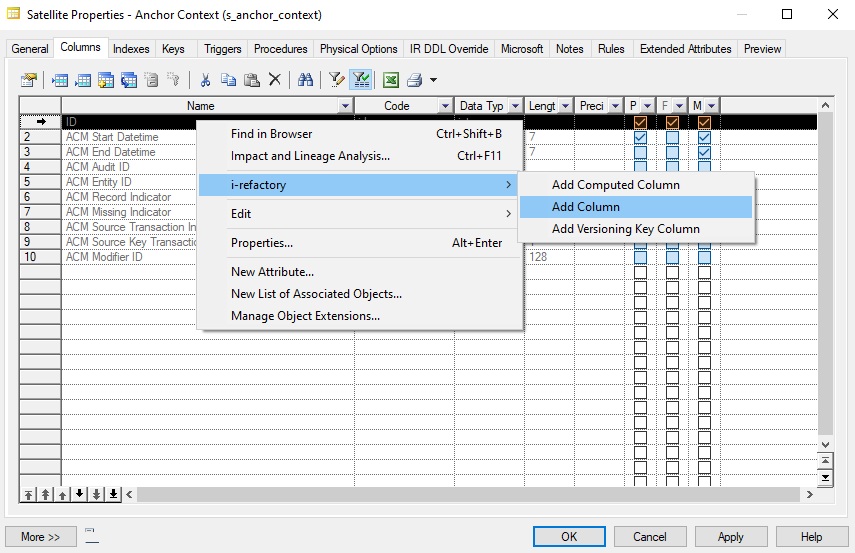
- Edit the values for
Name,Code, andDatatypedirectly in theSatellite Propertieswindow, with the Logical Data Model as your reference.
- Repeat steps
3and4for all attributes.