Add immutable satellite
To add an immutable satellite to an anchor:
- Right click on the anchor (hub or link) in the central facts model area.
- In the context menu, click on
i-refactory > Add Satellite.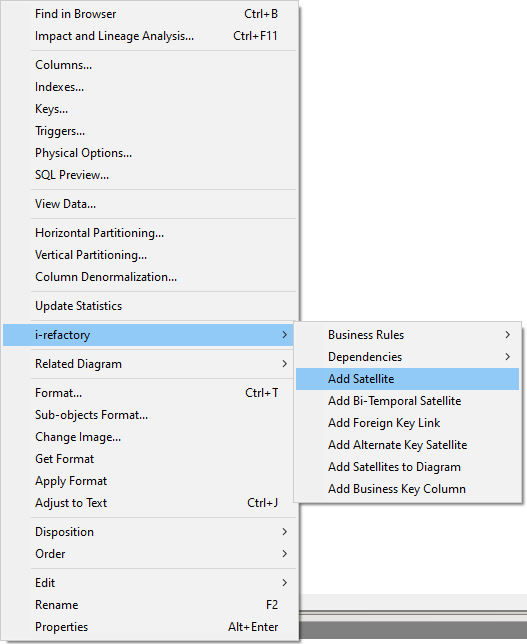
- Right click on the new created
Satellitein the central facts model area. - In the context menu, click on
i-refactory > Change to immutable.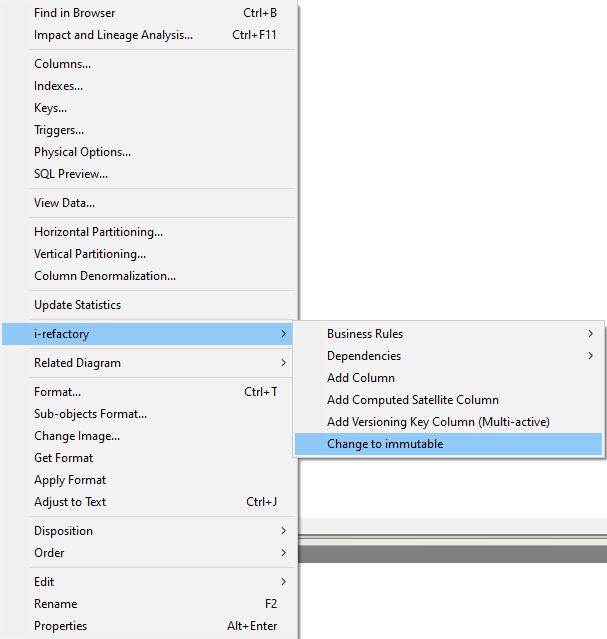
- The context changes to an immutable satellite:
ACM Start Datetimeis not part of the primary key anymore.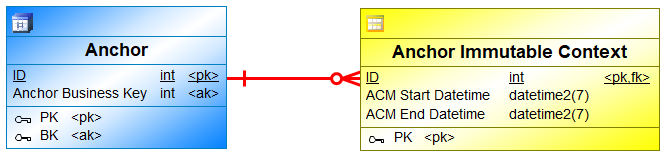
- You need to add one ore more immutable attributes to the satellite
Info
A satellite is either mutable or immutable. Of course, it is possible to have two satellite entities connected to one Anchor in such a way that one is immutable and the other is mutable.