Settings for a batch delivery scenario or a CRUD scenario
When you generate a GDAL model, the default mapping is read/write. This means that the GDAL model is also a CRUD model. If there are only batch deliveries and no CRUD operations, you can change the data access type of the GDAL model to read-only. This will generate less triggers and stored procedures for the generic data access layer.
- Open the central facts model (CFM) and the generic data access model (GDAL model).
- In the generic data access model, go to the menu
Tools > Mapping Editor... - Click on the the icon
propertiesin the mapping editor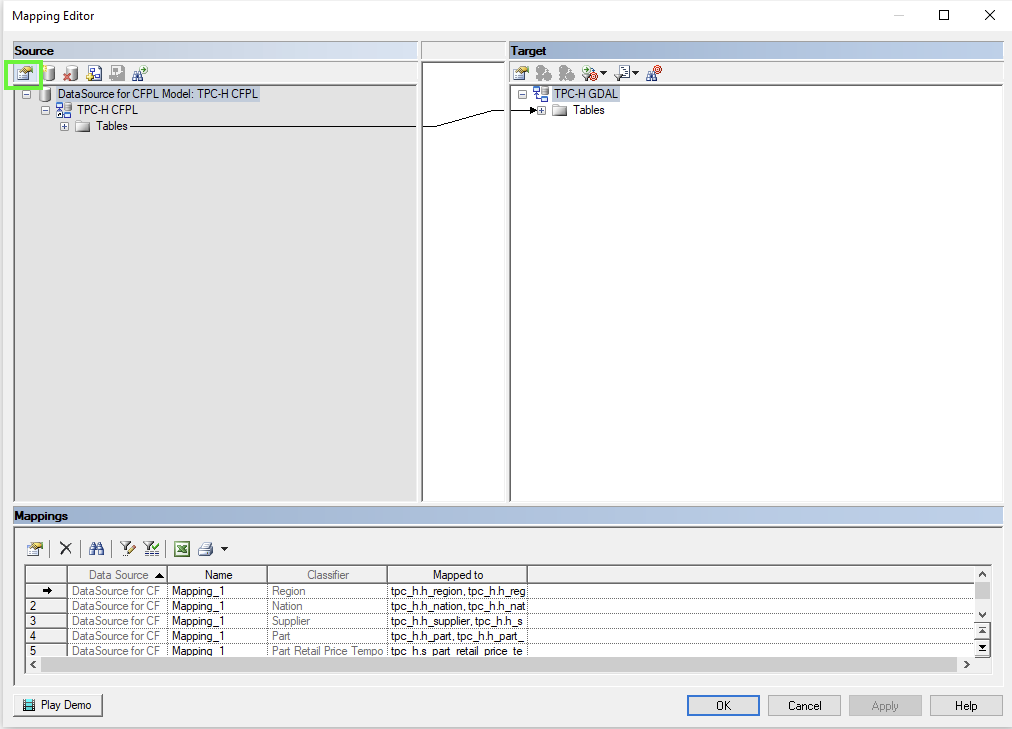
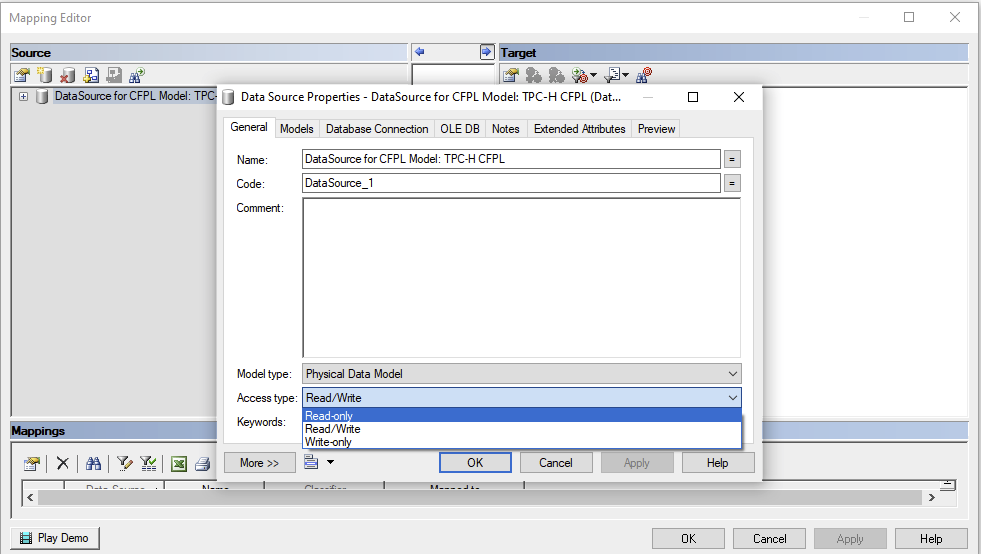
- In the window
Data Source Properties, change theAccess typeto: - Read-only: for the batch load scenario where data is delivered through a batch process
- Read/write: for the CRUD scenario where data is written to the central facts layer through the generic data access layer.
Warning
Do not change to data access type to Write-only