Create helper
You can create a helper with the i-refactory helper wizard or manually. We advise you to use the i-refactory helper wizard because this ensures that all necessary artefacts are created. When you add an i-refactory helper the following happens:
- Mappings to the attributes are automatically created.
- Attributes of related entities are automatically synchronized.
Meaning of 'Synchronized'
The helper attribute is a replica of the original attribute. If you change the datatype of the original attribute, the datatype of the replica will change as well.
It is also possible to disable the synchronization between the replica and original attribute. For example, if you want to change the data type of an attribute in the helper entity. In this case, you can desynchronize a replicated attribute.
When you use a helper, make sure that you follow:
* good practice about implementing calculations in the technical staging layer
* the good practice about implementing calculations within the context of the current delivery.
To create a helper:
- Right click on the table from which you want to create a helper.
- In the context menu, click on
i-refactory > Helper Entity > Generate Helper Starting from this table.
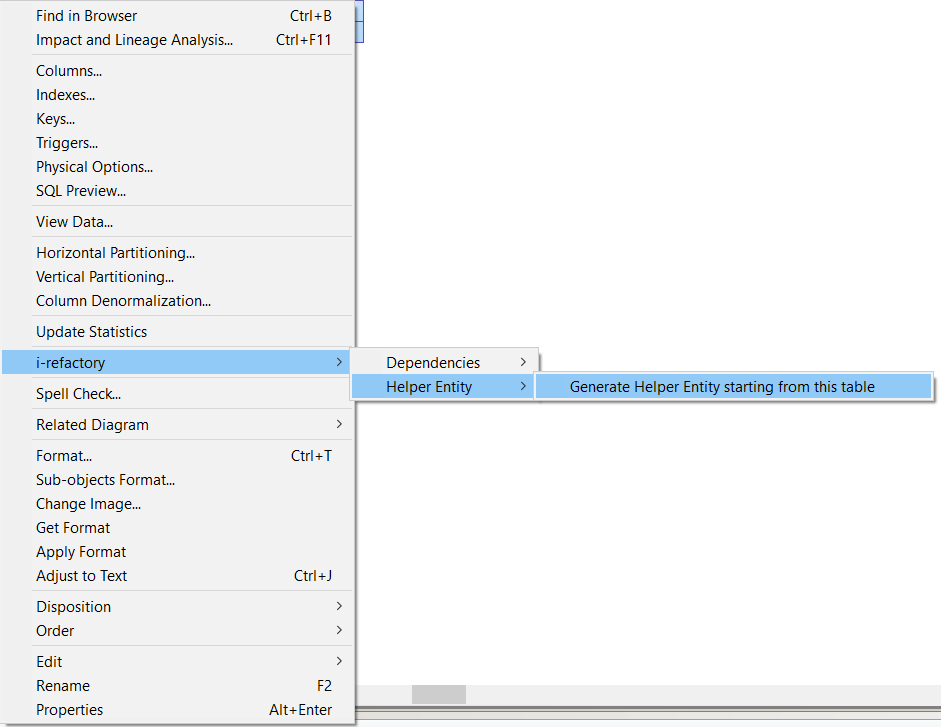
- The window
Create Helper Entity...appears. You can configure the helper.
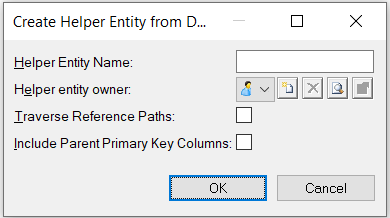
Helper Entity Name: name of the helper.Helper entity owner: select the correct owner.Traverse Reference Paths: when constructing a query from the starting point entity, should the reference paths be included?- If the box is
unchecked, the query is constructed from one entity only. - If the box is
checked, the query is constructed by joining entities using all the references connecting entities.
- If the box is
Include Parent Primary Key Columns: should the primary key of any joint parent table be included in the select list of the query and helper entity?- Click on
OK. The helper entity appears in the diagram. - Double click on the helper entity. A window
Helper propertiesappears. - Click on the tab
Columnsand assign one or more attributes as a primary key. - If needed, add, or delete columns from the helper entity.
- If needed, adjust the helper query.
- Click on the tab
IR derived entity.
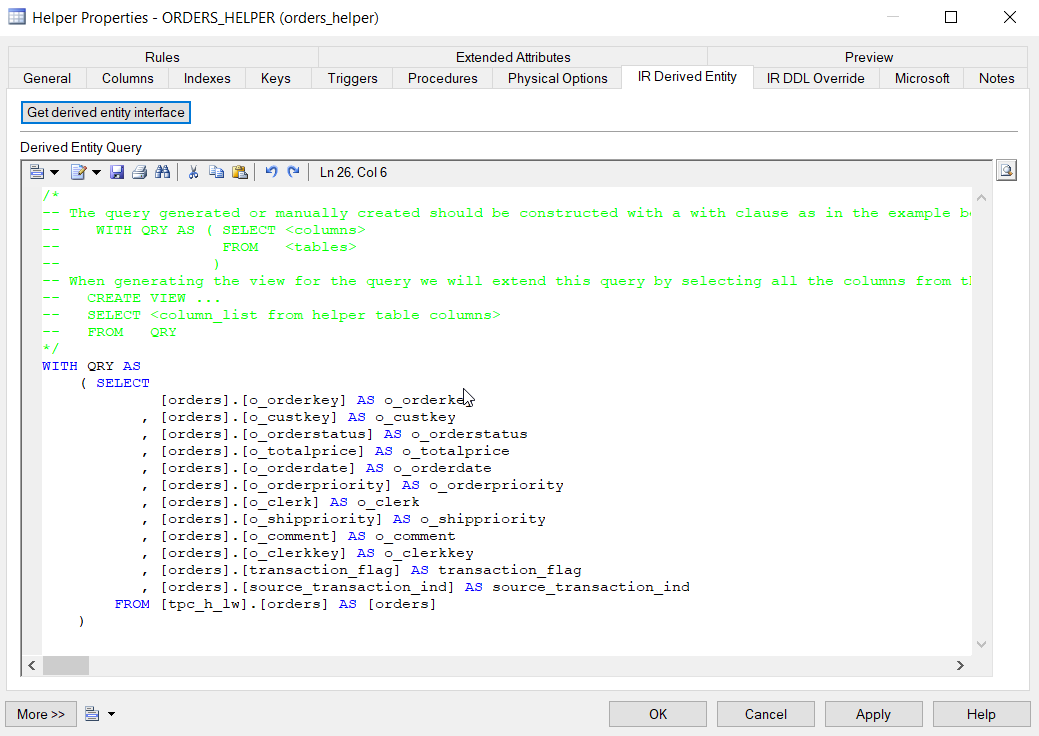
- Click on
OK.
Warning
If a SQL expression is incorrect in your query, you will get an error during the metadata import in the i-refactory or data retrieval from the database. The i-refactory server does not check whether a SQL expression is correct during a data delivery.
Create additional mappings
When you join two or more entities to create a helper, then you need to manually create mappings for these additional entities.
Tip
A helper must have mappings on entity level. It doesn't require attribute-level mappings.
To add a mapping to a helper:
- Click in the menu on
Tools > Mapping Editor....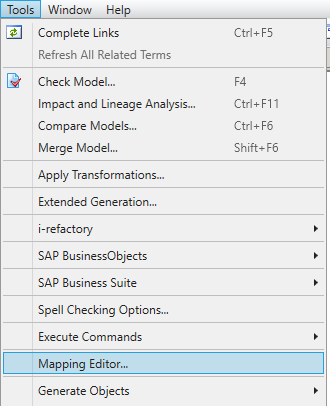
- A window
Mapping Editorappears - Drag the relevant table in the source to the helper entity in the target.
- Click on
OK
Example: how to create a helper
Suppose we want to implement a business rule for the order priority of an order:
- If an European customer places the order, then the
Order prioritymust be set to "2-HIGH". - Except when the customer is a French customer, in which case the
order prioritymust be set to "3-MEDIUM".
This rule can be implemented with a helper entity. The helper starts from the ORDERS table. It will join with the parent tables NATION and REGION, to look up the country and the region of the order.
To add a business rule for the order priority of an order:
- Right-click on the
ORDERStable. In the context menu, click oni-refactory > Helper Entity > Generate Helper Starting from this table. - The window
Create Helper Entity...appears - Give the helper entity a clear name.
- Select an owner (the schema in the database).
- Set the check box
Traverse Reference Pathsto True. This will generate an "OASI style" view: the joins to the parent tablesCUSTOMER,NATION, andREGIONare automatically added to the helper query.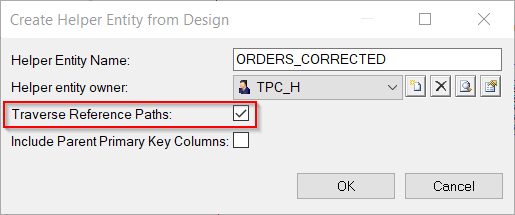
- Click on OK. The helper entity will be created with the following characteristics:
- A predefined query joining all parent tables. Notice that the query is wrapped inside a Common Table Expression named 'QRY'.
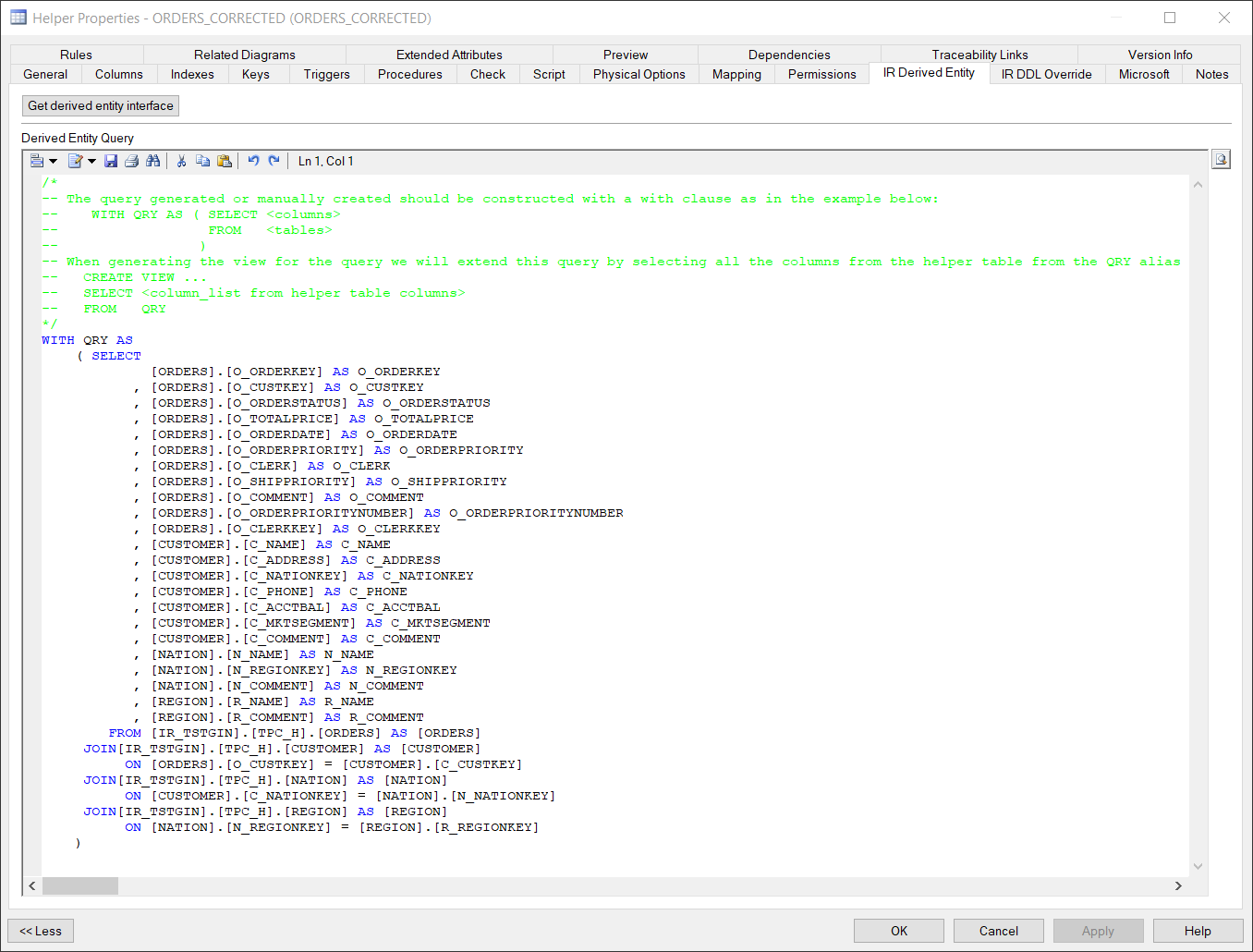
- Predefined columns that are a PowerDesigner Replica of the column of the referenced source table. This has as advantage that the column in the helper entity will be renamed automatically when the source table column is renamed.
- A graphical representation of the dependencies (PowerDesigner Traceability Links) between the helper entity and the source tables referenced on the diagram.
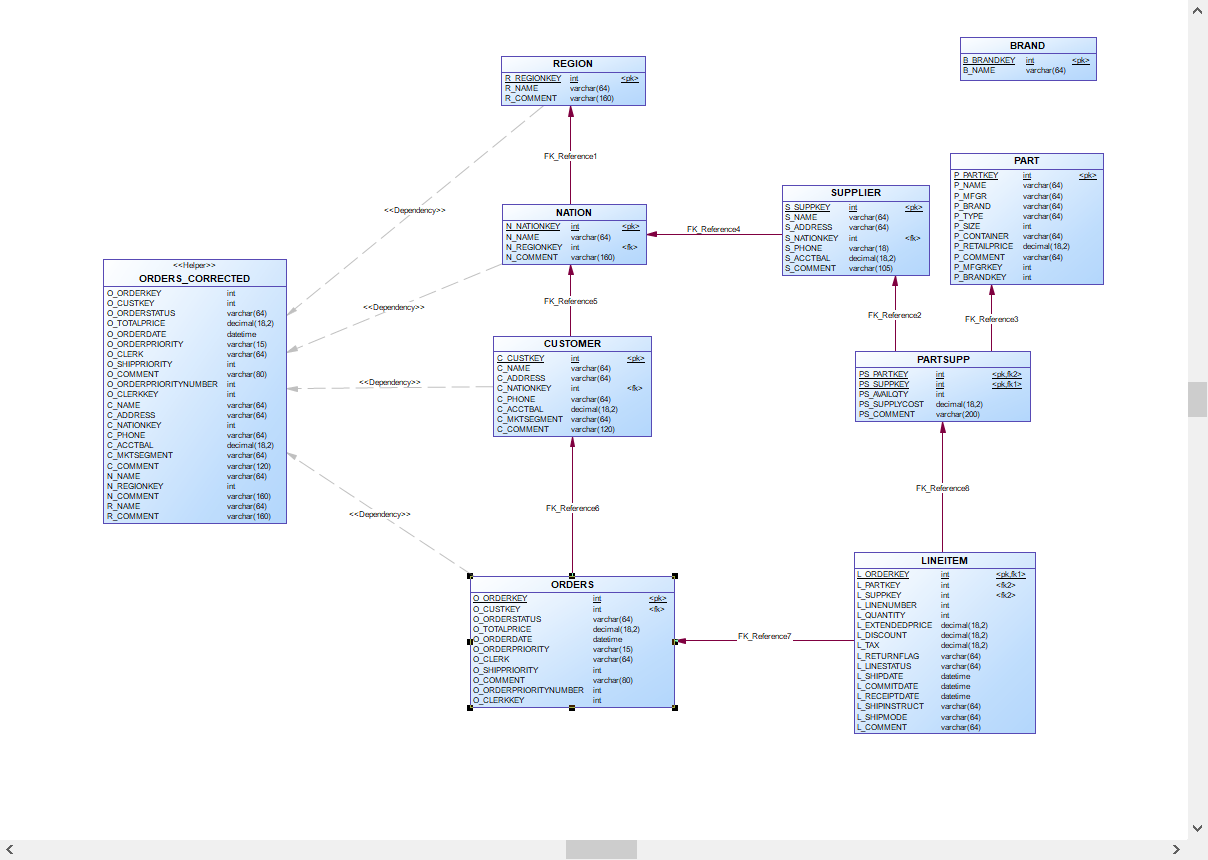
- Generated mappings between the helper columns and the referenced source table columns.
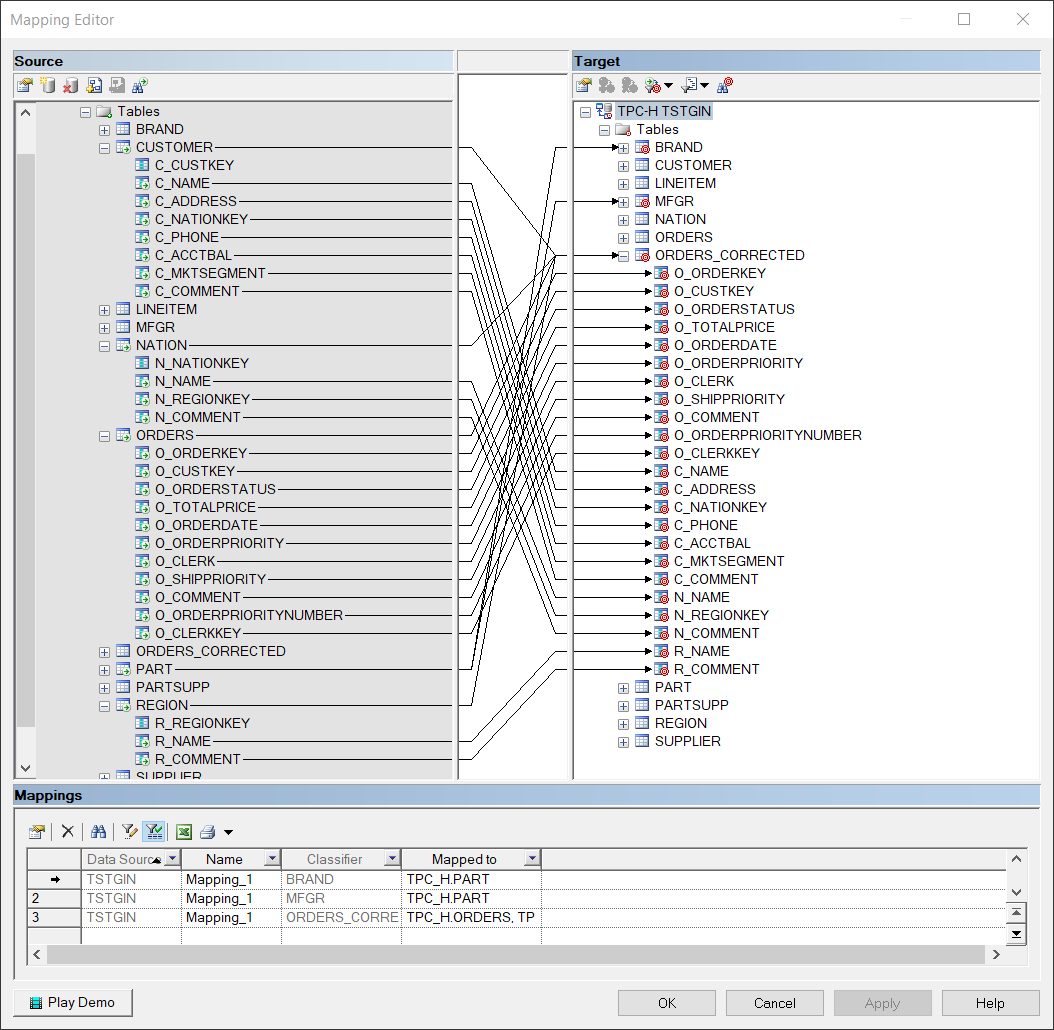
- Edit the helper query as follows:
- Add a calculated column O_ORDERPRIORITY_CORRECTED to the SELECT list, and implement the rule.
- Remove all other columns except the columns of the
Ordertable from the query.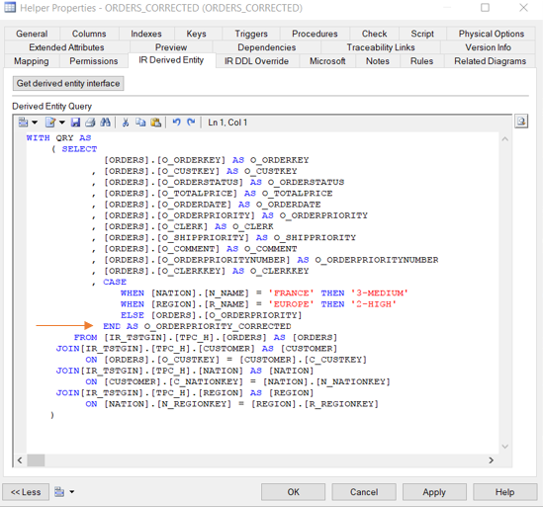
- Edit the helper entity as follows:
- Add the calculated column to the column list.
- Remove all other columns except the columns of the
Ordertable from the column list. - Set the primary key for the helper table (in this case the
O_ORDERKEYcolumn). - Use the
ORDERS_CORRECTEDhelper entity as the source entity for the logical model to include the calculated column.