Configure Databases
In this section we explain how to configure the databases used by the i-refactory.
Configure a database
The databases used have to be configured in the i-refactory.
For every layer a database has to be configured. The code represents the physical database name. This is used to define the connection used by the i-refactory application, and is used to validate the Design Time import.
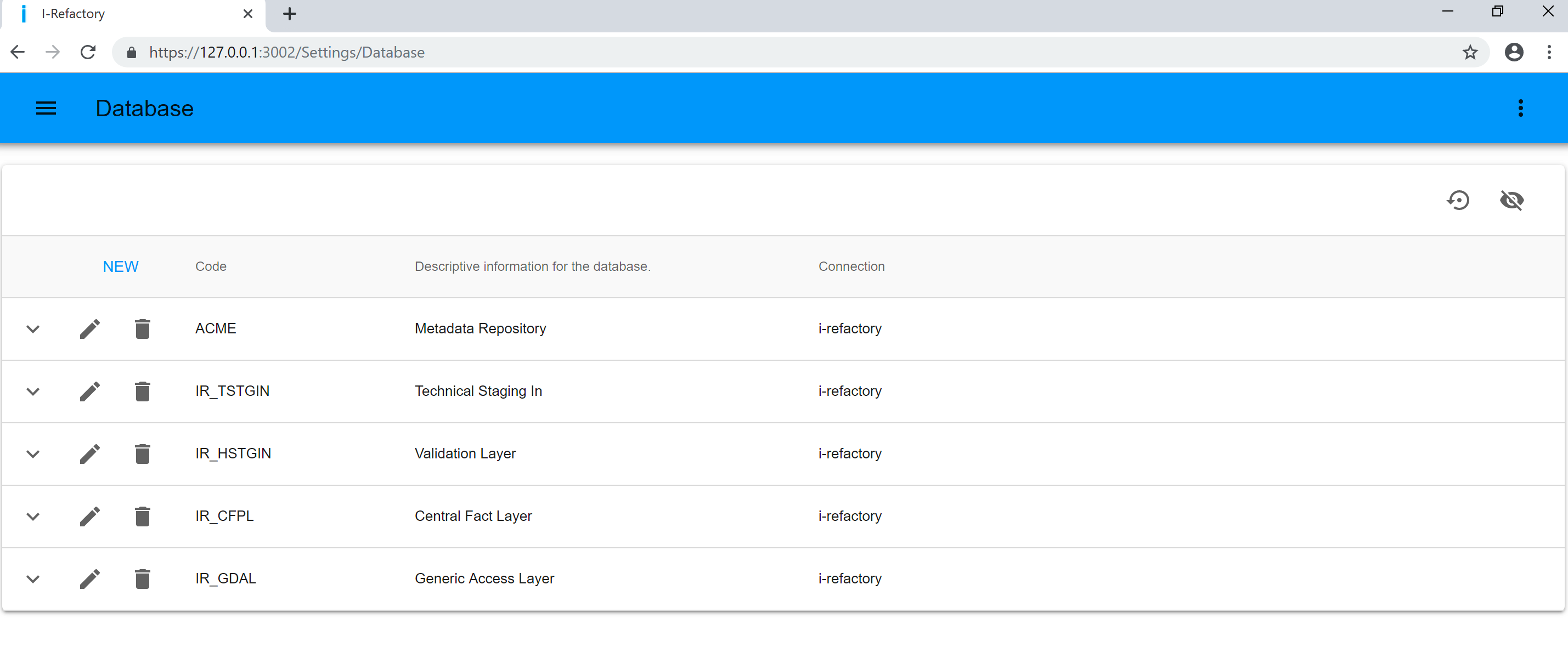
- Go to menu : Settings > Databases
- Use the 'NEW' icon to create a new database
- Enter Code that represents the exact name your DBA has given to the database
- Enter a Description that describes the purpose of the database
- Select the Connection that formalizes the physical connection to this database
As an alternative you can also configure databases with the following API call : acmDatacon.database. An example of how to use this API can be found in S:\i-refact\i-refactory-engine\example\restful\createDatabase.js.
As part of our demo environment a possible list of databases is :
What's next?
- You can configure the connections
- Check the overview