Import Data Models
In this section we explain how to import the metadata generated by the i-refactory modeller into the i-refactory server.
Before you begin
Make sure the datamodel version is already implemented in the database with a full deployment or delta deployment.
Import metadata files
To update the i-refactory metadata repository you need to import the metadata files created in PowerDesigner. It compares the metadata repository with the imported metadata and it will update the metadata repository, generate or alter constraints, views and functions.
You can import multiple metadata files for different models at the same time.
The import process consists of the following steps:
- Import metadata
- Generate views
- Generate extra views and tables, expand existing views
- Drop views
On successful completion of each step, the changes will be saved. During the metadata import the SQL query will be checked. If there are any syntax errors, the metadata import will fail.
Warning
Be aware that a metadata-import is successful if all files are processed. If one file generates an error, the script will rollback to the earlier saved step and give the status Failed. So it's possible that step 1 (importing metadata) succeeds, but that an error occurs during step 2 (generate views). In that case, we advise you to import a new correct metadata file.
Overview of actions for each object and layer
The i-refactory engine will do the following action if the metadata of a specific layer is imported:
| object / layer | TSL | LVL | CPL | GDAL | FILE EXPORT |
|---|---|---|---|---|---|
| entity | update metadata | update metadata | update metadata | NA | NA |
| view | update metadata | NA | update metadata | create / alter / drop | NA |
| BR helper | NA | create / alter / drop | create / alter | NA | NA |
| constraint | NA | update metadata | NA | NA | NA |
| function | NA | NA | NA | create / alter / drop | create / alter / drop |
Warning
Make sure the i-refactory metadata repository is up to date with the objects in the database, otherwise it may lead to unexpected errors. The i-refactory engine will call the objects in the database according to the metadata repository. If the corresponding metadata objects don't exist or are changed in the database, this may lead to unexpected results during data delivery. The order of the deployment is also important. Make sure the objects exists in the database, before you import the metadata. For example, if you import a GDAL view and it references a CPL object that not (yet) exist, the metadata import will result in an error.
Import metadata through UI
To import metadata through the UI:
-
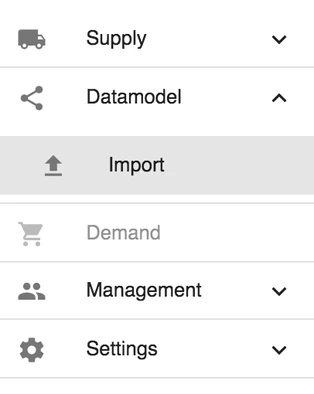
Use Menu:
Datamodel > Import.
-
To create a new import, click
NEW. -
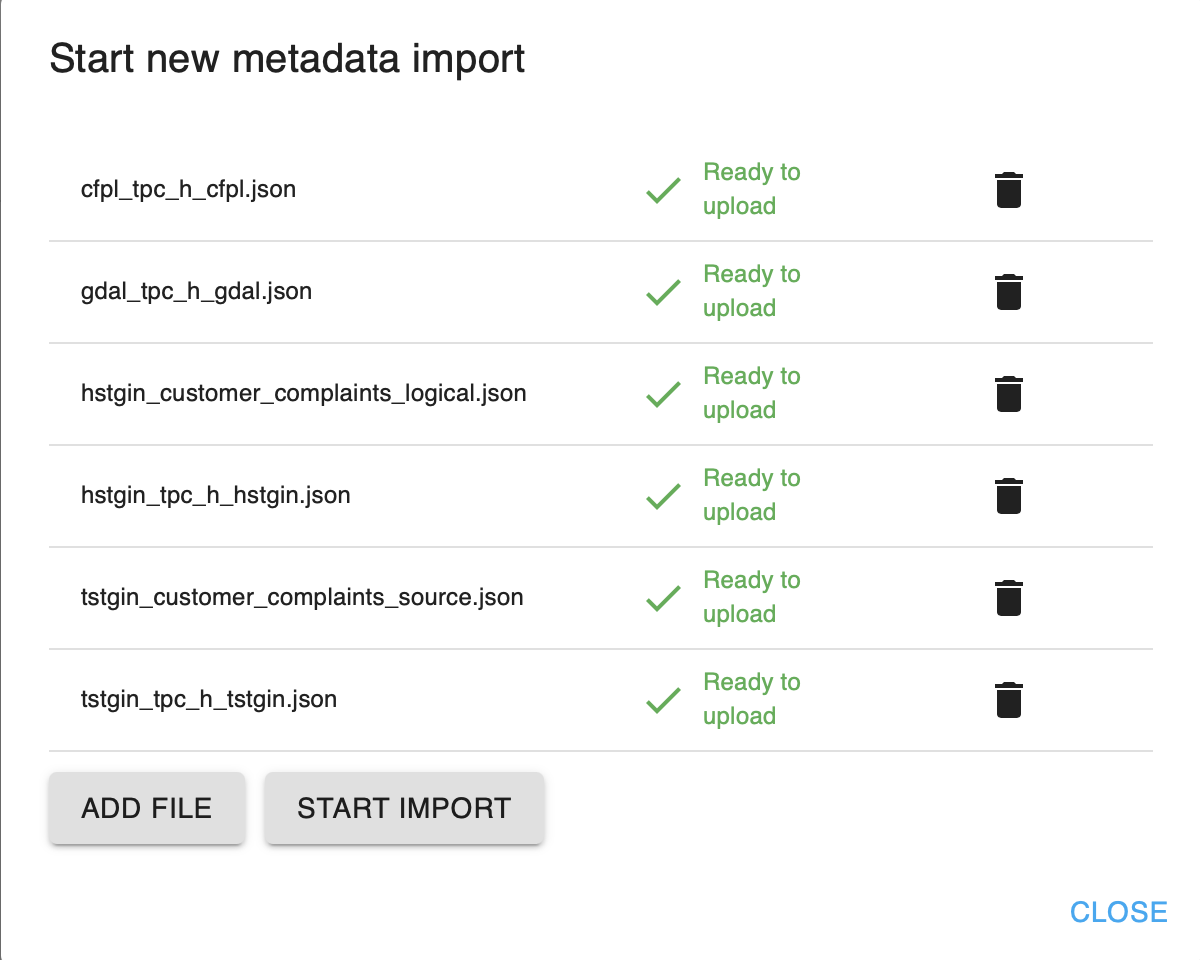
In the popup window, choose
ADD FILE. -
You can select one or more files to import at once. It is possible to import metadata files from different interfaces and layers. Click on the
Garbageicon to remove a file from the import list.
-
To run the import process:
- Click
START IMPORT. The import is added to the overview of imports and the import process starts. -
Click
CLOSEif you want to close the window. -
To cancel the metadata import: click on
CLOSEwithout starting the import process.
As long as the import is running it will have the status Processing, when it is finished it either has the status Succeeded or Failed.
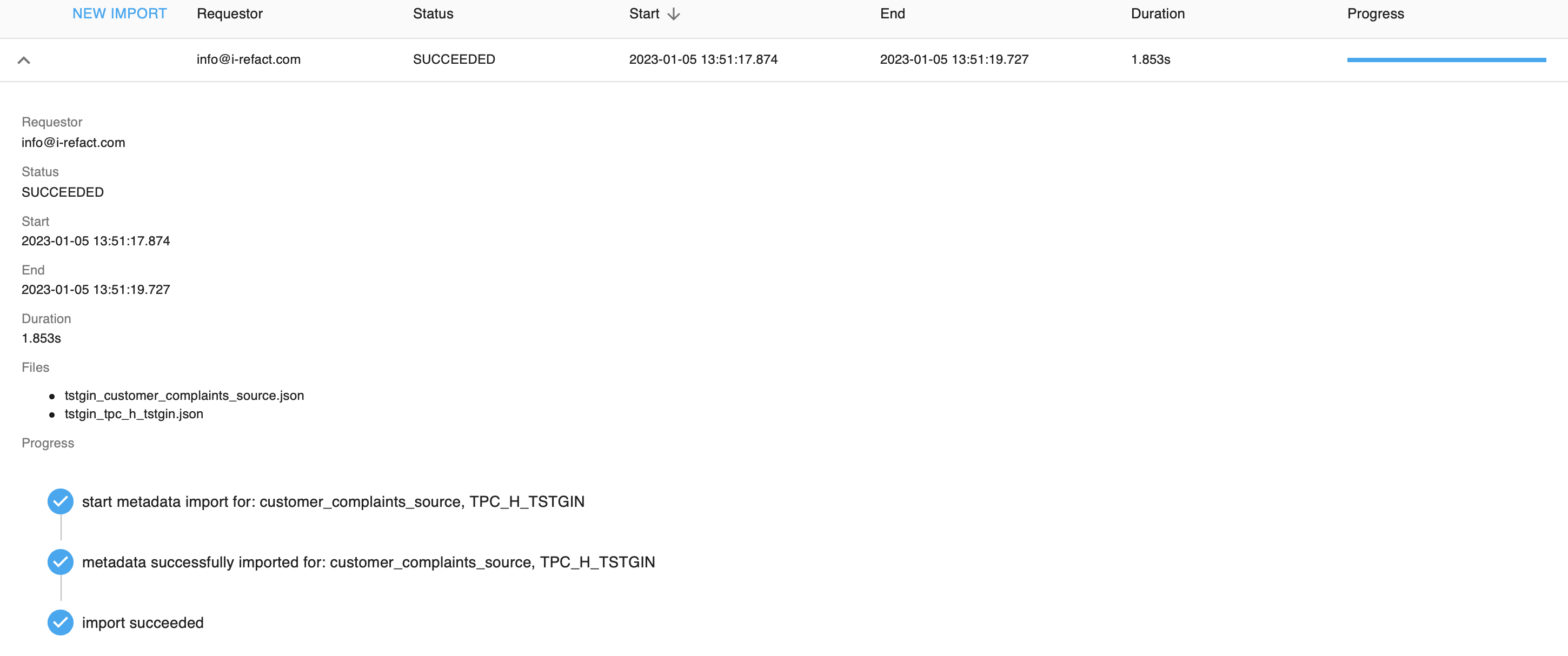
In case of a failed import you can download the results of the failure as a JSON file. It will contain (as far as possible) all the encountered errors on the most detailed level (file level, record level or attribute level.
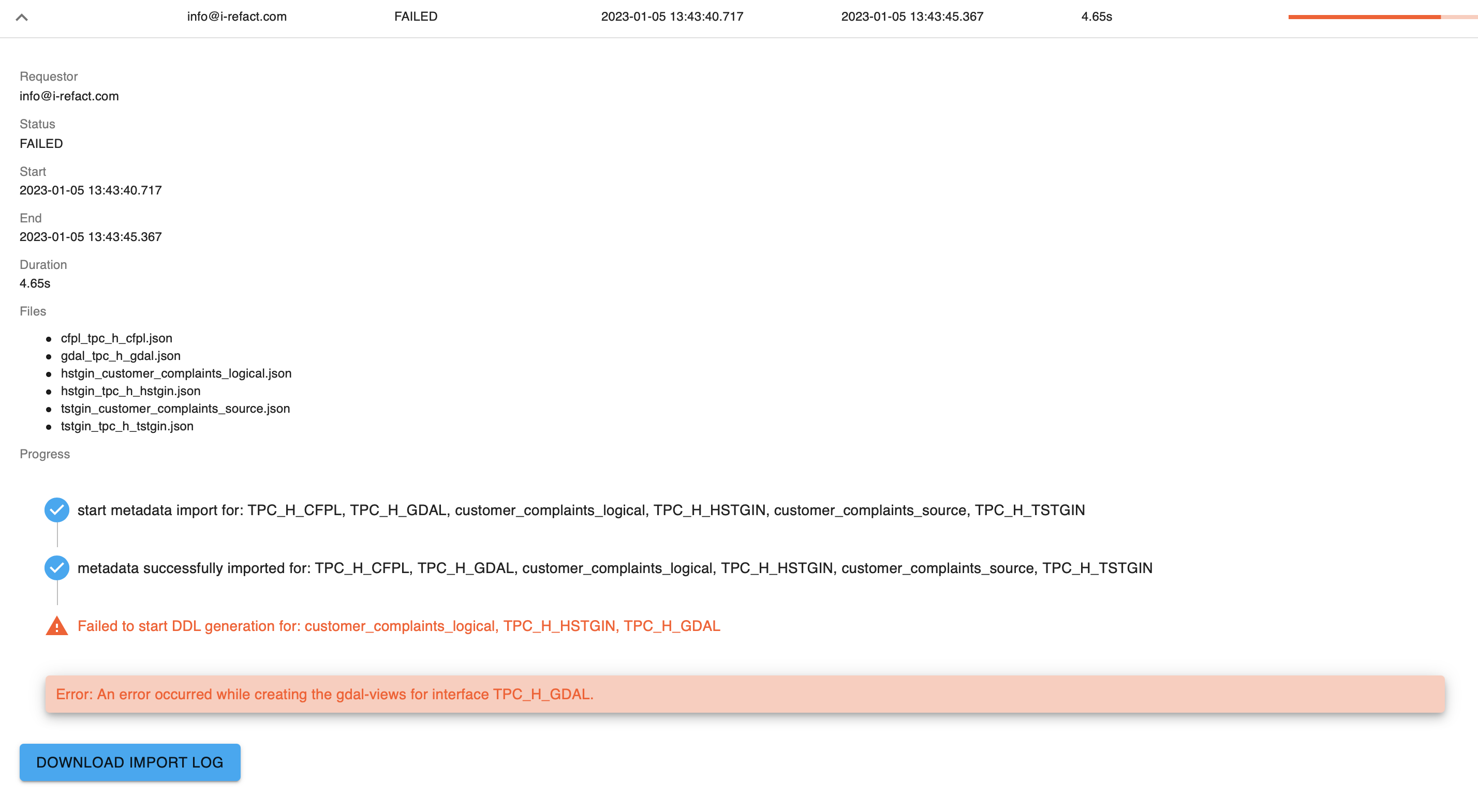
Example of an data import error in JSON:
Below you see an example of an data import error:
- The creating of a view in the generic data access layer (GDAL) is failed.
- In the error message you can interpret that it's about an invalid central facts object
IR_CFPL.tpc_h.h_regionwhich doesn't seem to exists. Based on the error message we can infer that this is probably because the entityh_regiondoes not exists in theIR_CFPLdatabase.
{
  "@error": {
    "onRequest": [
      {
        "context": "support.iRefactory.RestfulInterface",
        "code": 16,
        "message": "An error occurred while creating the GDAL-views for interface TPC_H_GDAL.",
        "data": [
          {
            "entity": "gdal.tpcHGdal.tpcH.region",
            "error": {
              "message": "A database error occured:\nRequestError: Invalid object name 'IR_CFPL.tpc_h.h_region'.",
              "sql": "ALTER VIEW \"tpc_h\".\"region\" AS\nSELECT  \n    \"A\".\"id\" AS \"id\",\n    \"A\".\"nbr\" AS \"nbr\",\n    \"C1\".\"name\" AS \"name\",\n    \"C1\".\"comment\" AS \"comment\",\n    \"A\".\"acm_exists_ind\" AS \"acm_exists_ind\",\n    \"A\".\"acm_last_created_dt\" AS \"acm_last_created_dt\",\n    \"A\".\"acm_latest_start_dt\" AS \"acm_start_dt\",\n    CASE \"A\".\"acm_latest_start_dt\"\nWHEN \"C1\".\"acm_start_dt\" THEN \"C1\".\"acm_end_dt\"\nEND AS \"acm_end_dt\",\n    CASE\nWHEN \"A\".\"acm_latest_start_dt\" = \"A\".\"acm_last_created_dt\" THEN 'N'\nELSE 'A'\nEND AS \"acm_record_ind\",\n    CASE \"A\".\"acm_latest_start_dt\"\nWHEN \"C1\".\"acm_start_dt\" THEN \"C1\".\"acm_modifier_id\"\nEND AS \"acm_modifier_id\"\nFROM \"IR_CFPL\".\"tpc_h\".\"h_region\" \"A\"\nLEFT JOIN \"IR_CFPL\".\"tpc_h\".\"h_region_s_properties\" \"C1\" ON \"A\".\"id\" = \"C1\".\"id\" AND ((\"C1\".\"acm_record_ind\" <> 'R')\n  AND (\"C1\".\"acm_start_dt\" = (SELECT  \n    MAX(\"MC1\".\"acm_start_dt\") AS \"max_acm_start_dt\"\nFROM \"IR_CFPL\".\"tpc_h\".\"h_region_s_properties\" \"MC1\"\nWHERE \"MC1\".\"id\" = \"A\".\"id\"\n)))\nWHERE \"A\".\"acm_exists_ind\" = 1\n"
            }
          }
Import metadata using API calls
Importing the metadata through api calls is a two step asynchronous process:
1. Importing the metadata-files with use of API acmDatacon/application/startImport
2. Get the results of the metadata-files with use of API acmDatacon/application/importResults
How to handle Errors?
When the import fails, you need to examine the root-cause and take appropriate actions to make sure next import will succeed.
Warning
The SQL code in your PowerDesigner models, for instance in (business rule) helpers, are not checked for correctness during the model check in PowerDesigner. During metadata import, the SQL syntax will be checked. If there are syntax mistakes, this will lead to an failed metadata import.
| Context | Message Description | Possible Resolution |
|---|---|---|
| support.iRefactory.Attribute | Missing Value | A mandatory attribute value is missing |
| support.iRefactory.Record | Record already exists | A duplicate record is created, for example a duplicate relation or business key that has the same name |
| support.iRefactory.Record | Referenced record not found | A Mapping is not found where is was expected |
| support.iRefactory.Record | Referenced record not found. relationship: Attribute Mapping to Applicable Attribute Class Mapping Auxiliary | The domain of the source attribute differs from the domain of the target attribute in the mapping |
| support.iRefactory.Record | Referenced record not found. relationship: child Subtype Relationship to Unique Key Auxiliary | The auxiliary key is not correctly generated |
| support.iRefactory.Record | Referenced record has incorrect natural key | The business key is not found |
| support.iRefactory.Record | Referenced record not found. relationship: source Entity Mapping to Entity Auxiliary | The auxiliary mapping to an entity is not correct |
| support.iRefactory.Record | Referenced record not found. relationship: target Entity Mapping to Entity Auxiliary | The auxiliary mapping to an entity is not correct |
| support.iRefactory.Record | Referenced record not found. relationship: source Attribute Mapping to Attribute Auxiliary | The mapping to an auxiliary key is not correct |
| support.iRefactory.Record | Referenced record not found. relationship: target Attribute Mapping to Attribute Auxiliary | The mapping to an auxiliary key is not correct |
| support.iRefactory.Record | Child records found: [acm_uam_datadefmap].[l_entity_mapping] |
A mapping is removed but there are still existing references to the entity. |
| support.iRefactory.Record | Child records found: [acm_uam_datadefmap].[l_attribute_mapping] |
A mapping is removed but there are still existing references to the attribute. |
| support.iRefactory.RestfulInterface | User errors encountered | There is an error in the restful interface |
| support.iRefactory.RestfulInterface | Database error occurred:\nRequestError: Invalid object name | The object name is not found in the database |
| support.iRefactory.RestfulInterface | Database error occurred:\nRequestError: Invalid column name '<column_name>' |
The column name is not found in the database |
| support.iRefactory.RestfulInterface | Database error occurred:\nRequestError: Incorrect syntax near '<example_of_syntax>' |
There is a SQL syntax error |
| support.iRefactory.RestfulInterface | Cannot execute the request: action is blocked by another process | There is another process blocking the metadata import |
| acmDatadef.setConstraint | Referenced record not found. Relationship: Set Based Entity Constraint to Helper Entity Auxiliary | |
| support.iRefactory.MetadataImport | File is not valid JSON | The selected file is not an i-refactory metadata-file |
| support.iRefactory.MetadataImport | Entity does not exist | A referenced entity does not exist |
| support.iRefactory.MetadataImport | Interface cannot be imported: a delivery is active | There is an active delivery |
| support.iRefactory.RestfulInterface | An error occurred while creating the gdal-views for interface <interface_code>. No valid column expression found |
The attribute is not found |